Offline Conversion Tracking: Feed Real Sales Back to Google Ads

Offline conversion tracking means sending what happens after the click back to the ad platform: the quote accepted, the job booked, the patient who turned up, the deal closed in your CRM. Without it, Google Ads and Meta optimise for form fills and calls, which are not the same thing as customers. With it, you can judge every campaign against revenue you can actually bank.
I'm Jesse, a senior paid media specialist at Senior Ad Managers. This guide covers how the import works, what to capture, what changed in Google Ads in 2026, the privacy rules Australian businesses need to respect, and the mistakes that quietly corrupt the numbers.
TL;DR:
- Offline conversion tracking sends CRM outcomes (qualified lead, booked job, closed sale) back to Google Ads or Meta, tied to the original click.
- It only works if you capture the click ID (GCLID for Google) when the lead arrives and store it in your CRM against that contact.
- Google keeps the GCLID for 90 days, so pick a milestone that happens inside that window and upload often. Since 15 June 2026, uploads run through the Data Manager API.
- Use an Order ID on every conversion so each lead and sale is counted once.
- In Australia, check consent and pixel setup under the Privacy Act before you send customer data anywhere, especially in health.
What offline conversion tracking actually measures
A normal conversion is something the platform sees: a form submitted, a call button tapped, a purchase on the site. An offline conversion is something that happens later, somewhere the platform can't see. A tradie's quote gets accepted over the phone. A law firm signs an engagement letter. A clinic books and completes a first appointment.
The problem is the gap between the two. Ads platforms report a lead. Your CRM knows that six of ten leads were tyre-kickers, outside your service area or already customers. The platform tells a good story, and the gap is where the wasted spend is hiding.
Offline conversion tracking closes that gap by matching each CRM outcome back to the ad click that started it. Google's own help page on offline conversion imports describes it as the way to import conversions that happen after a click, so you can see which clicks led to real business results.
Once it is running, two things change:
- Reporting. Campaigns, ad groups and keywords can be judged on closed revenue, not lead counts.
- Bidding. Smart Bidding learns from the leads that turn into sales, rather than treating every form fill as equal.
How the import works, step by step
The mechanics are the same whether you run HubSpot, Salesforce, Jobber, a clinic management system or a spreadsheet.
1. Turn on auto-tagging and capture the click ID
With auto-tagging on, every Google Ads click lands on your site with a GCLID in the URL. Your website needs to read that value and store it, usually in a first-party cookie, then pass it into a hidden field on every form. Calls need a separate approach, such as call tracking that records the source.
If the GCLID never reaches the CRM, none of the rest works. This is the single most common failure we find. Do the same for Meta: read the fbclid from the URL, store it and pass it into its own hidden field.
2. Store it against the contact, not just the form entry
The GCLID should sit on the contact or deal record, so that when the deal moves stage three weeks later, the click ID is still attached. Also store the lead's creation date, the deal value and a unique ID for the sale.
3. Decide which CRM stage counts
Pick the event you want Google to optimise toward. Closed-won gives you the truest revenue signal. But if sales cycles are long, an earlier milestone such as "qualified" or "quote sent" gives the algorithm more data, faster. More on that below.
4. Create the conversion action
In Google Ads, you create an imported conversion action for clicks from your CRM or other data source. Name it for the business outcome, such as "Booked job" or "Closed sale", so reports are readable.
5. Upload the data
Each record needs a conversion time and an identifier. Per Google's guidance on adjusting conversions, imports must include a conversion timestamp and at least one of: a GCLID, user-provided data, or the GBRAID and WBRAID parameters used for some iOS traffic. You can upload by file, by scheduled sheet, or by a direct CRM integration. If you use HubSpot, we have a dedicated walkthrough on offline conversion import from HubSpot to Google Ads.
6. Check it landed
Uploads show up in the conversion action's diagnostics. Test with one lead end to end before you trust the pipeline. Then check weekly, because CRM field changes break integrations without warning.
Setting up the CRM fields
Your CRM needs somewhere to keep each piece of the loop. At minimum, add a GCLID field, an fbclid field, a unique lead or order ID, a revenue field, a deal stage field and a consent flag. Use dedicated fields, not a notes field, so the export can read them.
Apply a count once rule at the same time. Every lead gets one unique ID when it's created. If the same person enquires again, update the existing record so it doesn't become a second lead.
How that looks in the CRMs we see most:
- HubSpot: custom contact properties for GCLID, fbclid and order ID. HubSpot's native integrations or Zapier can push closed deals out to Google Ads and Meta.
- Pipedrive: custom fields on the deal for the click IDs and order ID, with a Zapier or Make automation that sends the conversion when a deal moves to won.
- GoHighLevel: custom fields on the contact, with a workflow that sends the conversion to Google or Meta when the opportunity status changes to won.
Send a hashed email and phone as well
The GCLID is missing whenever a lead calls instead of filling in a form, or switches devices. Enhanced conversions for leads covers that gap. You send a hashed email and phone number with the upload, alongside the GCLID where you have it, and Google matches them to the person who clicked. Meta's Conversions API works the same way with hashed customer details.
Send both a click ID and hashed details whenever you can. If one match fails, the other can still connect the sale to the click.
What changed in Google Ads in 2026
If you set up an import years ago, check it now. Google's help documentation states that starting 15 June 2026, offline conversion import and enhanced conversions for leads uploads are migrated to the Data Manager API and blocked in the Google Ads API. Developers who built custom uploads against the older API need to move them.
In practice:
- If you upload files or use a native CRM connection, you will mostly be using Google's Data Manager, and the platform will guide you through the upgrade. Google has a step-by-step guide to upgrading offline imports.
- If a developer or agency built a script that calls the Google Ads API directly, ask them whether it has been moved. A silent failure here means weeks of missing revenue data and a bidding algorithm learning from nothing.
- If you only notice the problem when conversions drop to zero, you have already lost the data from that period for bidding purposes.
This is a good moment for a tracking review rather than a patch. If your account has other tracking doubts, our page on fixing Google Ads conversion tracking shows how we approach it.
The 90-day rule and long sales cycles
Google only keeps a GCLID for a limited time. Its help page on fixing offline import errors says the GCLID is kept for 90 days, and recommends uploading more often, or uploading an earlier event that falls inside that window if the real conversion happens later.
That matters for businesses with a long path to revenue:
- A bathroom renovator quoting in March and signing in July.
- A commercial law firm where matters take months to engage.
- A B2B company with a six-month pipeline.
The fix is not to give up. Import more than one stage. For example:
| CRM stage | Typical timing | Use it for |
|---|---|---|
| Qualified lead | Days | Bidding signal, high volume |
| Quote sent or appointment held | Weeks | Bidding signal, better quality |
| Closed-won with value | Weeks to months | Reporting against revenue, bidding when inside the window |
Bid on the milestone that arrives inside 90 days with enough volume. Report on closed revenue in your CRM regardless. Those are two different jobs, and mixing them up is how accounts end up optimising to a metric nobody can bank.
One timing habit also helps. Google's guidance on adjusting conversions notes that changes made within 24 hours of an ad click often won't register, so include at least one extra day of records in each batch rather than uploading only the latest few hours.
Count every lead once: the Order ID
Duplicates are the quiet killer of offline reporting. A lead submits a form, then calls, then gets re-entered by the front desk. Without discipline, your account books three conversions for one person.
Google identifies unique conversion adjustments using the Order ID, the conversion name and the adjustment time. As the Google Ads Help page explains, without an Order ID you are left relying on the GCLID and timestamps, which makes duplicates and mismatches far more likely, especially when records get edited in the CRM.
Our rule is simple:
- Generate or reuse a unique ID in the CRM for every lead and sale.
- Send it as the Order ID with every upload.
- When a deal value changes or a sale is cancelled, send an adjustment against the same ID, rather than a new conversion.
That last step is how refunds and lost deals flow back correctly. It also means your ROAS in Google Ads can be reconciled to the revenue in your accounting system, which is the check that tells you whether the platform number is real.
Check the data before you bid on it
Before Smart Bidding learns from imported revenue, make sure the feed is clean. Track four things every month:
- Match rate: the share of uploaded conversions the platform matched to a click or hashed identifier.
- Duplicate rate: how many leads are being counted more than once.
- Imported revenue against CRM revenue: the monthly total in Google Ads and Meta compared with the total in your CRM.
- Time lag: how long a typical lead takes to close, which tells you how far back each upload needs to reach.
A quick check we use: take 20 deals that closed last month and look each one up in Google Ads and Meta. If more than one or two are missing or show the wrong value, fix the pipeline before you rely on it.
Google recommends waiting about three conversion cycles, or roughly four weeks, after turning on enhanced conversions before you make imported data your main bidding signal. On smaller accounts with few closed deals, we wait longer.
What this looks like for an Australian business
Here is a worked example, with illustrative numbers only, not a client result.
A Brisbane electrical contractor spends $6,000 a month on Google Ads. The account reports 120 leads, a cost per lead of $50, and the owner thinks it is going fine. The CRM shows 120 leads, but only 45 were genuine jobs in the service area, and 14 became paid work.
After offline tracking:
- Google sees 14 conversions with real values, not 120 equal-weight form fills.
- The search term review shows that certain queries create most of the junk leads. Those get tight negatives, and we stay on exact and phrase match only, since looser matching feeds the algorithm exactly the queries you are trying to remove.
- Brand searches are split from new demand, so people already searching for the company's name don't flatter the acquisition campaign.
The cost per lead might look worse for a while. The cost per booked job is what improves. That is the number that matters.
Offline conversions on Meta
Meta works on the same principle with different identifiers. Instead of the GCLID, the lead carries Meta's click and browser identifiers, and your CRM stages are sent back so the system learns which leads become customers. Lead-gen campaigns benefit the most, because Meta's lead forms and instant forms can produce a lot of cheap, low-intent contacts.
For most clients, we pair this with server-side event delivery, which is less fragile than browser-only pixels. If that is your situation, see our server-side tracking setup for how GTM and Meta's Conversions API fit together.
The same rules apply: capture the identifier at lead time, store it in the CRM, send one clean event per real outcome, and test with a single lead before scaling.
Privacy: what Australian businesses must check first
Sending customer outcomes to ad platforms is a data-sharing decision, not just a tracking one. Three points are worth knowing.
The Privacy Act may apply to you even if you are small. The OAIC explains that businesses can be caught by the Act if they trade in personal information, meaning they collect or disclose personal information for a benefit, service or advantage. Many owners assume a turnover under $3 million exempts them. Don't assume. Check with a privacy lawyer or the OAIC's guidance for your situation.
Pixels are not automatically safe. The OAIC's guidance on tracking pixels and privacy obligations says the Privacy Act does not prohibit them, but organisations should do due diligence on how they are used.
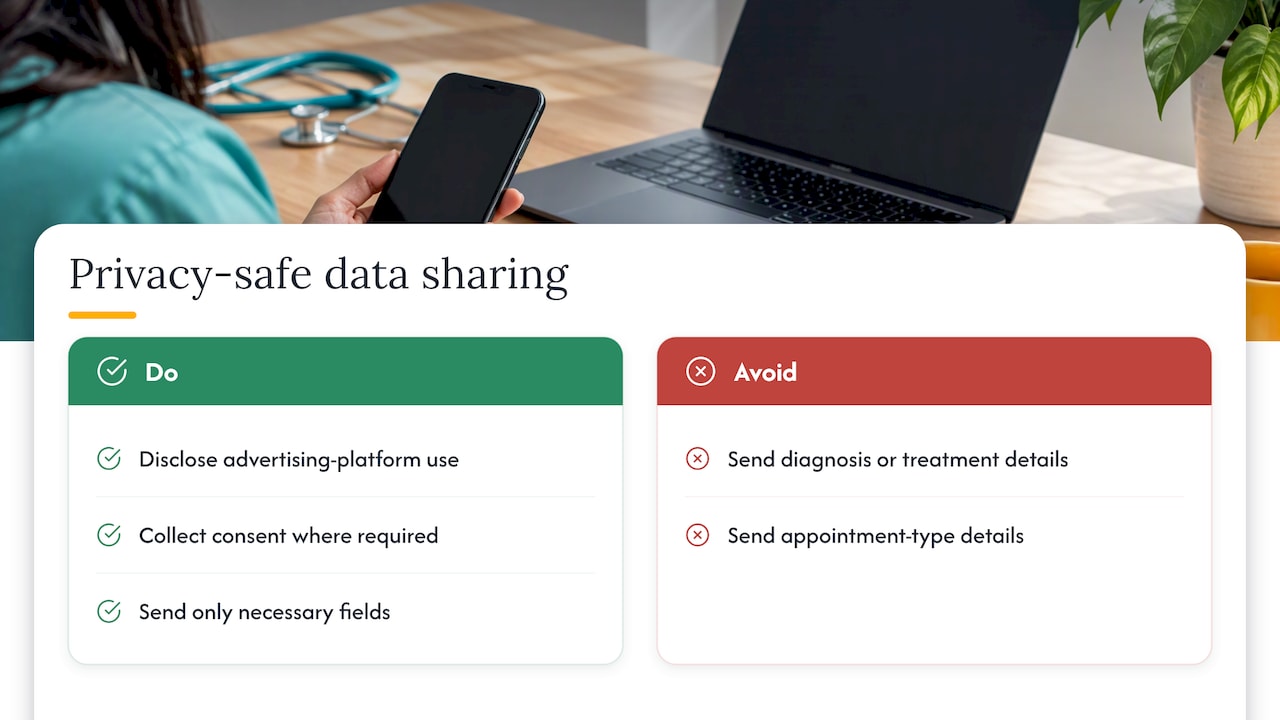
Health is the high-risk area. In a determination published on 23 June 2026, the Privacy Commissioner found that tracking visitors to health-related websites and then targeting them with social media ads amounts to collecting sensitive information. If you run a telehealth service, clinic or allied health practice, get legal advice on consent before you send any patient-linked event to Google or Meta, and audit what your pixels collect. Don't send diagnosis, treatment or appointment-type details as event parameters.
For everyone, the safe habits are the same: tell people in your privacy policy that you use advertising platforms, collect consent where it is required, send only the fields the platform needs, and never send more sensitive detail than the outcome itself.
Perspective: why we start with tracking, not bids
We see the same pattern again and again. A business spending a few thousand a month on Google Ads gets an agency report with a healthy-looking ROAS. The owner checks the bank account and the numbers don't match. Nobody is lying. The platform is counting form fills, duplicate calls, brand searches and even existing customers as conversions.
So we fix tracking first, before we touch budgets. Then we cut the spend that isn't producing real customers, and then we measure every campaign against closed revenue in the client's CRM. Offline conversion import is the bridge that makes the third step possible.
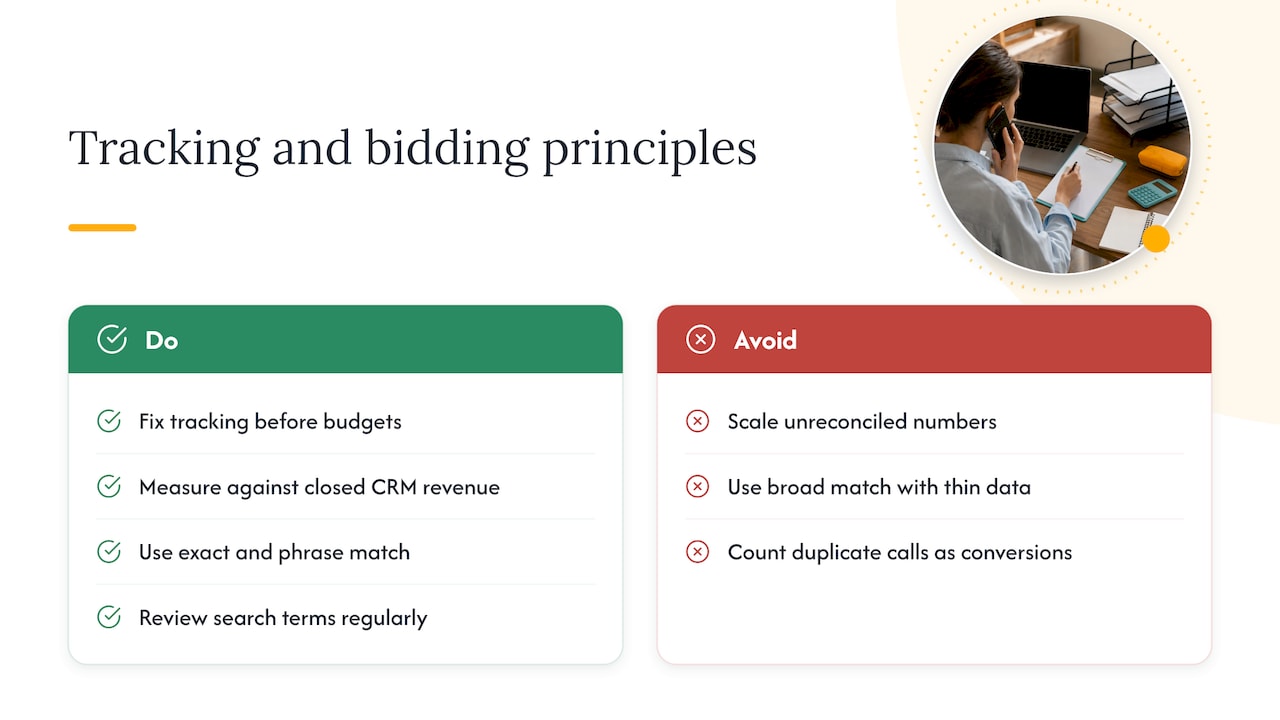
Two opinions we hold firmly. First, never scale spend on numbers you haven't reconciled. If you double a budget on an inflated conversion count, you double the waste. Second, on Google Ads we use exact and phrase match with tight negatives and regular search term reviews. We don't recommend broad match, because it hands control of your query mix to the algorithm, and with offline data still thin, it is the quickest way to fill your CRM with the wrong people.
The results we point to come from this discipline. A DTC supplement brand grew from $15k to $90k a month in revenue on Meta Ads, and a telehealth provider added 600+ new patients in 12 months through Google and Meta Ads. Neither is a promise for your account. Results depend on your market, margins and how clean your data is. We will tell you upfront if we can't help.
Common mistakes that break offline tracking
- Capturing the click ID on the landing page but not in the CRM. It is lost the moment the form is submitted.
- Uploading after 90 days. The import fails because the click identifier has expired.
- No Order ID. Edits and re-uploads create duplicates, inflating results.
- Optimising to a stage that is too rare. If only three deals close a month, the algorithm has almost nothing to learn from. Use an earlier milestone for bidding.
- Letting brand traffic hide the truth. If your acquisition campaigns include brand terms, your return looks better than it is. Add brand exclusions.
- Forgetting the migration. A script built against the older API needs checking after the 2026 change.
- Treating the import as set and forget. CRM stage names change, staff change, and the feed breaks quietly.
If you suspect your numbers are off, our article on Google Ads conversion tracking explains the first checks to run.
Keep it running: weekly, monthly and quarterly checks
Offline tracking breaks quietly when nobody owns it. This is the rhythm we follow:
- Weekly: confirm every live form still captures the GCLID and fbclid, check the last upload ran, and review search terms for new negatives.
- Monthly: review match rate and duplicate rate, compare imported revenue with your CRM total, and check for any consent or opt-out requests.
- Quarterly: review the conversion actions and import settings, run a fresh test lead through the whole pipeline, and check your privacy policy still describes what you send.
- Ownership: one person owns the CRM side and one owns the ad accounts, so a failed import gets noticed in days, not months.
Getting started without a big project
You don't need a full rebuild on day one. A practical order:
- Confirm auto-tagging is on and the GCLID is stored against every lead.
- Choose one CRM milestone and one conversion action.
- Upload a small batch of recent leads with Order IDs and test.
- Compare Google's reported conversions with your CRM for four weeks.
- Add a second stage or Meta once the first is reliable.
If you would like a second pair of eyes on it, we start most clients with a Google Ads audit for $99 AUD. We review your conversion actions, tracking, search terms and wasted spend, and tell you plainly whether offline import is your next step. For sites that need the tracking itself rebuilt, our website tracking service covers it.
Sources
- About offline conversion imports, Google Ads Help
- How to adjust your conversions, Google Ads Help
- Upgrade offline conversion import to enhanced conversions for leads, Google Ads Help
- Fix discrepancies and errors in offline conversion imports, Google Ads Help
- Trading in personal information, OAIC
- Tracking pixels and privacy obligations, OAIC
- Privacy Commissioner finds privacy breaches in third-party tracking pixel investigation, OAIC
FAQ
It means connecting each sale in your CRM back to the ad click that started it, then sending that result to Google Ads or Meta. Offline conversion tracking is how you close the loop: capture the click ID when the lead arrives, store it in your CRM and upload the outcome when the deal closes.
They are outcomes that happen after the click, away from your website, such as a phone sale, a signed contract or a completed appointment. You import them into Google Ads, matched to the original click, so the account can see which ads produced real business. Google describes the process on its page about offline conversion imports.
Google keeps the GCLID for 90 days, so the click must be within that window. If your sales take longer, import an earlier milestone that lands inside it and report on closed revenue from your CRM. Upload often rather than in large, late batches.
Not always. File uploads and scheduled imports work without code, and many CRMs have native connections. You will still need your website to capture the click ID in a hidden field, which usually takes a small amount of tag or script work. Custom API setups need a developer and a check against the 2026 Data Manager change.
It can be, but you must handle it carefully. The Privacy Act applies to many small businesses, and the OAIC has been clear that health-related tracking is high-risk. Get consent where required, update your privacy policy and speak to a privacy lawyer if you operate in health or handle other sensitive information.
Yes. Meta can receive CRM outcomes tied to the lead, so its system learns which leads become customers. The principle is the same as Google: capture the identifier at lead time, store it and send one clean event per real outcome.
Keep reading
How we can help
Next step
Find out where your ad spend is going.
Get a $99 AUD Google Ads audit. We'll show you where money is being wasted and which leads you're missing out on.
Show me my current ad mistakes →