Common Google Ads Mistakes That Cost Money (And How to Fix Them)
The Google Ads mistakes that cost small businesses the most
I've been running Google Ads since 2016 from Melbourne, Australia, and when I audit a small business account I almost always find the same handful of problems. None of them are complicated. They're expensive because nobody is looking for them, and in most of the accounts I audit they add up to thousands of dollars a month in wasted spend.
These are the mistakes I see time and time again, what they look like inside a real account, and what you can check yourself this week.
Mistake 1: Never checking the search terms report
Your keywords are not what people actually type into Google. They're what you've told Google you're interested in, and Google decides which real searches are close enough to match. The search terms report shows you what those real searches were, and it's the first place I look in any account.
What I find there is usually a long list of searches that have nothing to do with the business:
- Competitor names
- Services the business doesn't offer
- Searches that are simply wrong for the product
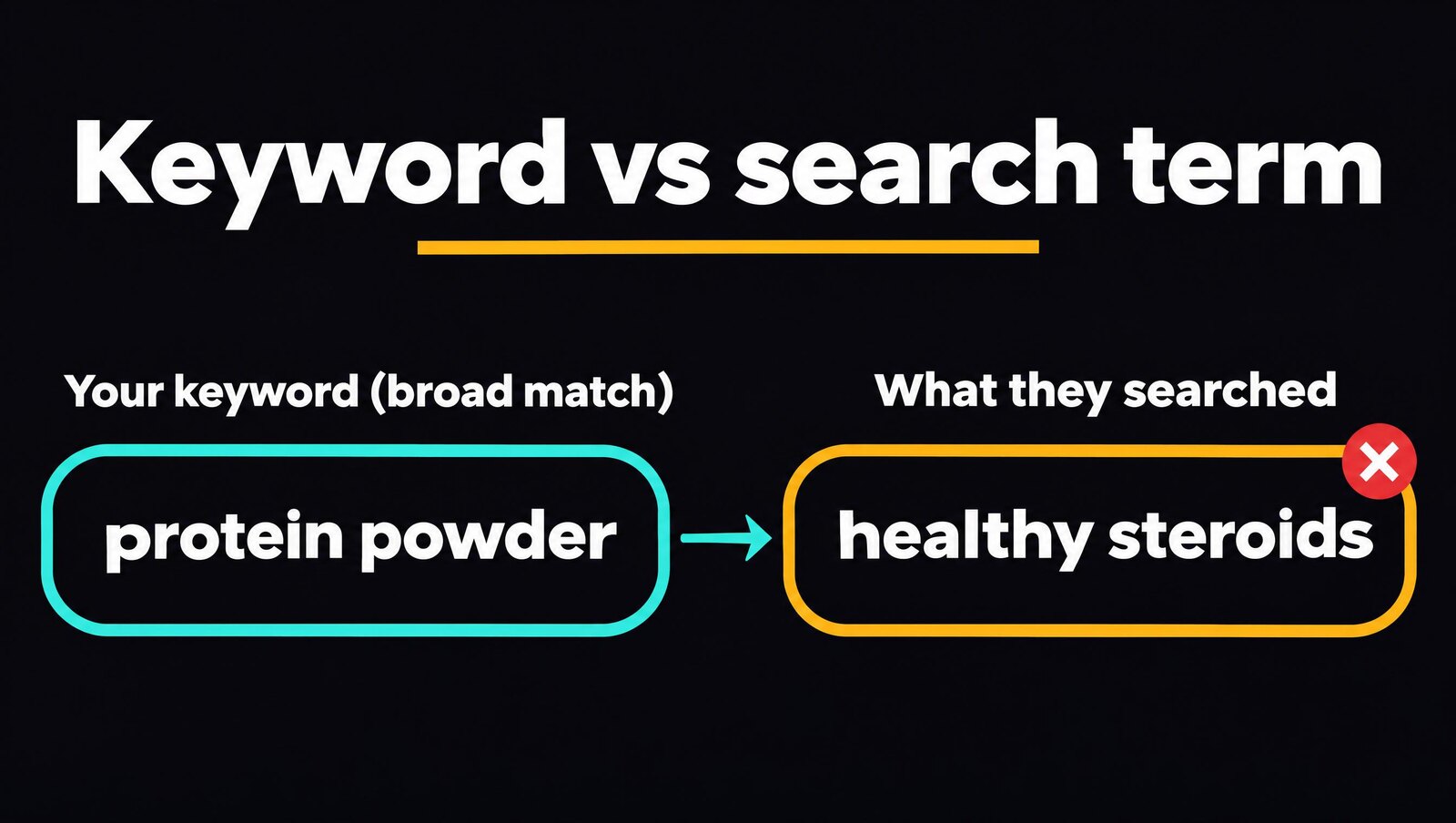
One account I looked at was bidding on protein powder using broad match. The search terms report showed their ads appearing for "healthy steroids". Every one of those clicks was paid for, and none of those people were ever going to buy protein powder.
If nobody is reviewing search terms and adding negative keywords, this goes on every day the campaign runs. I explain how much irrelevant spend is normal, and when the keywords themselves need fixing, in why your Google Ads aren't getting conversions.
Mistake 2: Bidding on research keywords instead of buying keywords
The second mistake is closely related. A lot of small business accounts are built on top of the funnel keywords, the kind people type when they're researching, not when they're ready to buy.
A good example is a company selling steel framing machinery for housing. Their ads were showing for people searching just "steel frame". That search has no buying intent. It could be someone trying to understand what steel framing is, or working out whether it's even worth considering. They're a long way from purchasing machinery, but the click costs the same.
What a high-intent keyword looks like
A high-intent keyword includes a word that signals the person wants to engage someone, or that they're looking for a provider in their area. Things like:
- Service
- Company
- Hire
- Near me
- Suburb names
So instead of bidding on a type of landscaping, bid on "landscaping service", "landscaping company near me", or landscaping paired with the suburbs you work in. If you sell something more technical, add "company" or "service" to the term, or niche down until the keyword only makes sense for someone who's ready to buy. You'll get fewer clicks, and far more of them will be from people who can become customers.
Mistake 3: Broken or missing conversion tracking
Broken tracking comes in a few forms. Sometimes there's no tracking at all. Sometimes the account shows a 50 to 100% conversion rate, which is a clear sign something is being counted that shouldn't be. And sometimes every lead is being counted twice.
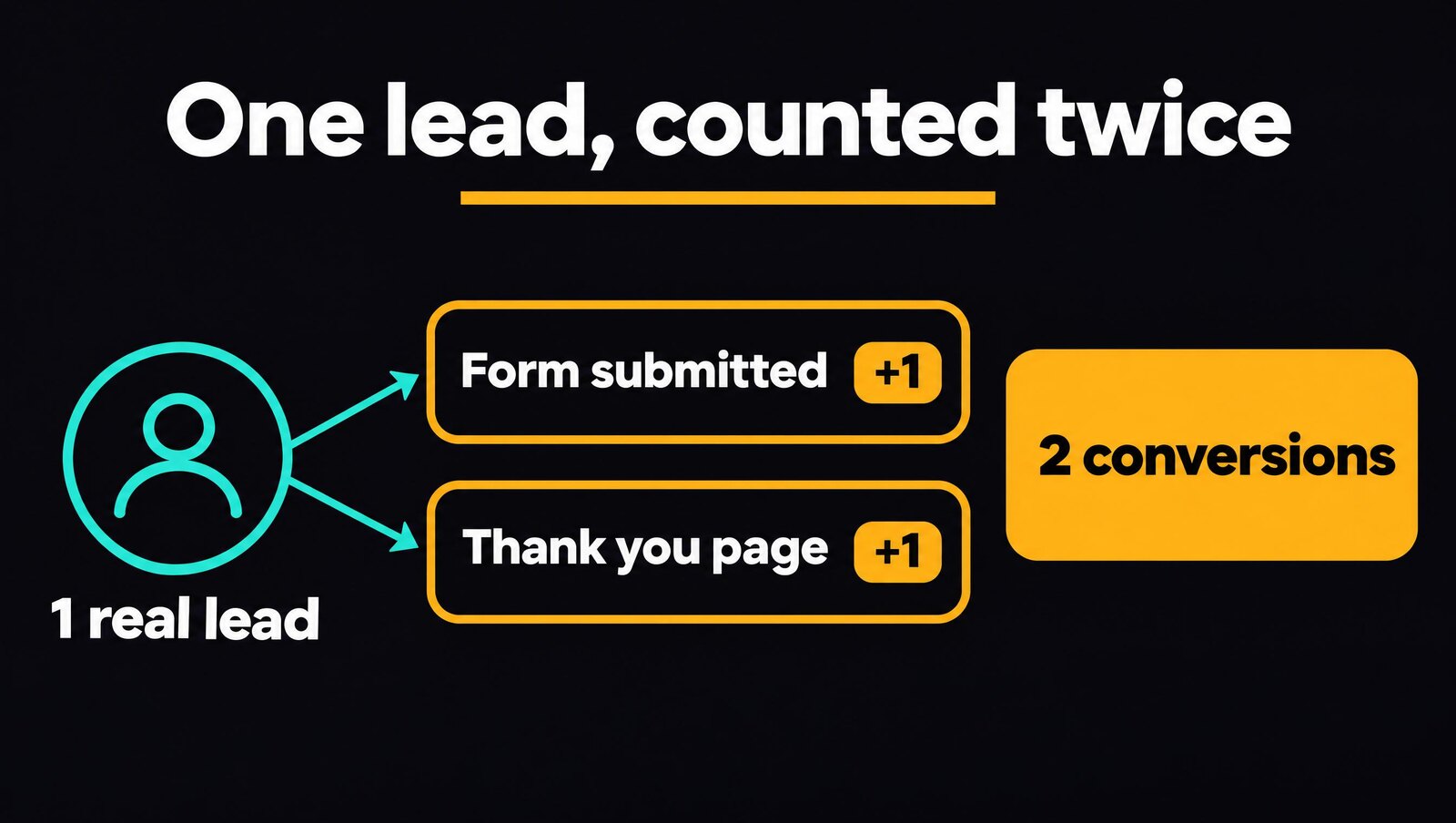
I recently looked at an account for a gym and pool company that had exactly that problem. A conversion fired when the form was submitted, and again when the visitor landed on the thank you page. Every lead was recorded twice, so the results looked far better than they were. The real cost to acquire a customer was significantly higher than the owner believed, and that false number was driving their budget decisions and performance goals.
Why bad tracking costs money, not just accuracy
Conversion tracking isn't only for reporting. Google uses it to decide who to show your ads to. If the data is inflated or wrong, Google believes certain searches are performing better than they really are, pushes your budget toward them, and stops serving your ads to other people, including the ones who would have become customers.
The result is that new customer acquisition slowly declines over time. In some cases it never gets going in the first place. You need tracking that works, and you need to know exactly what a new customer costs you.
Mistake 4: Following Google's recommendations without question
This is where I disagree with Google. Its recommendations are generally better suited to seasoned accounts with hundreds or thousands of conversions a month in large markets like the US. Apply the same logic to a small business in a smaller market like Australia and those recommendations tend to fall over.
The two that do the most damage are:
- Broad match keywords. Without a large volume of conversion data to guide it, broad match brings in exactly the kind of irrelevant searches I described above. Our guide to broad match vs exact match covers when each match type makes sense.
- AI Max. It widens what your ads can match to even further, and small accounts don't have the data to keep it on target.
Unpinned headlines and the ad strength trap
Another one is leaving your headlines unpinned so Google can show them in any position. This earns you an "excellent" ad strength score, and it typically underperforms. The ad that gets assembled is often unattractive, unclear, and sometimes just incorrect.
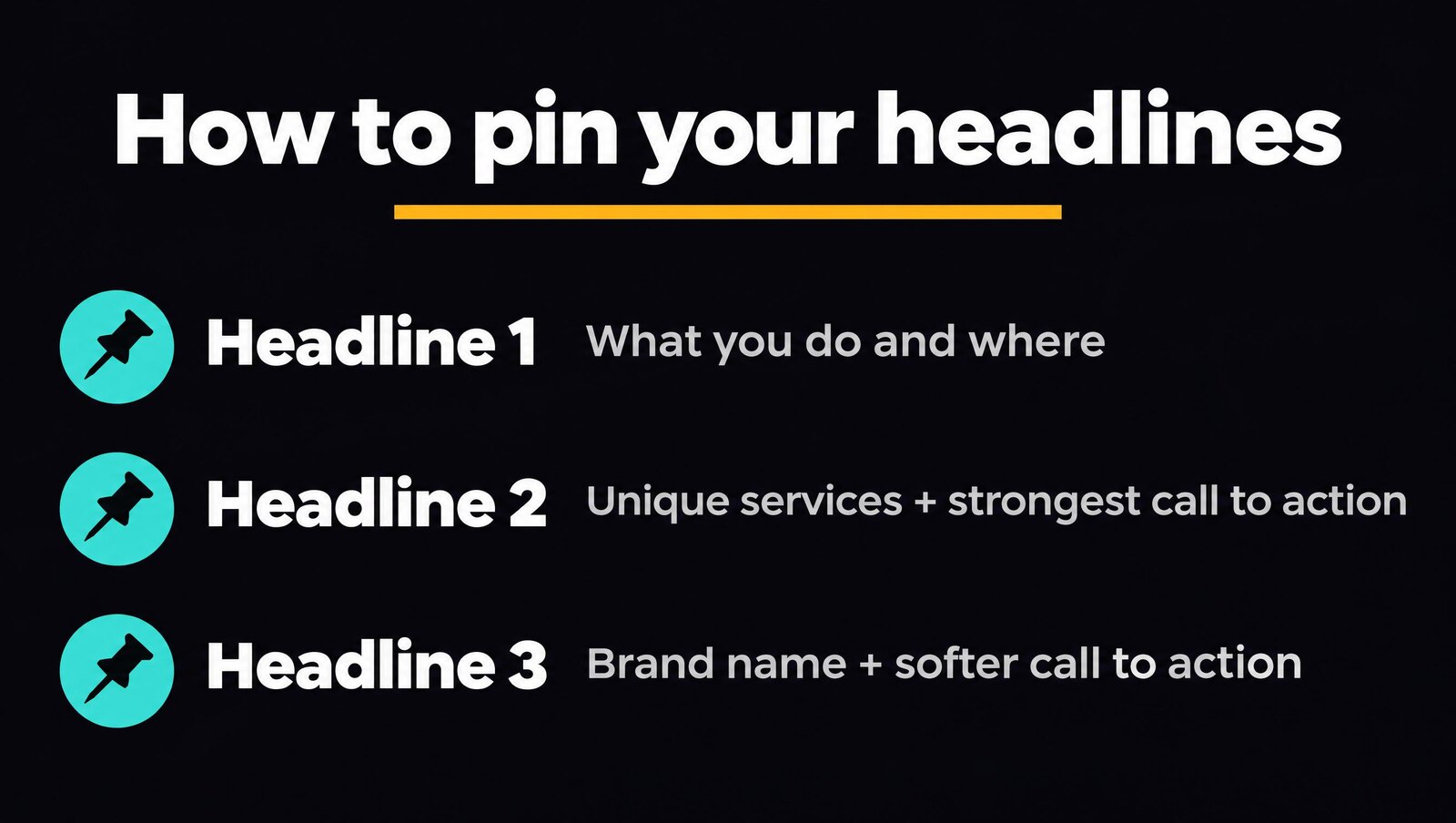
I pin headlines so the ad reads the way I want it to:
- Headline 1: what you do and where you do it.
- Headline 2: your unique services and your strongest calls to action, such as "Book Your Call Now" or "Get Your Free Quote".
- Headline 3: your brand name and your less relevant calls to action, like "Get Started Today".
Headline 3 often doesn't show at all, so keep it for the things that matter least. Anything you need the customer to see belongs in headlines 1 and 2.
What we fix in the first two weeks
When we take over an account, the first two weeks follow the same order:
- Rebuild the conversion tracking so every number in the account is accurate.
- Review the search terms and remove everything that's irrelevant.
- Audit the keywords to find the ones driving research traffic, the match types producing garbage results, and the terms that are missing the mark altogether.
Results depend on the business and how much reach it has. Typically we see an improvement of 50 to 100%, and accounts that were producing no leads at all start bringing them in at a good price. That same work continues every week in our Google Ads management.
What to check yourself this week
If you're worried about your own account, start with the search terms report. It shows you what people actually searched before clicking your ad, which tells you whether you're reaching qualified people and whether your ads are appearing for relevant searches.
If what you see there doesn't look like your customers, you've found where the money is going.
When to bring in help
My answer is as soon as you realise your ads could be performing better. Most business owners I speak to are in one of two positions.
The first is a campaign that isn't performing, and the owner has concluded that Google Ads doesn't work for their business. In most cases the campaign is set up wrong or under-optimised.
The second is a campaign that is performing, where there's still a lot of room to improve. We've had clients with already successful businesses double and even triple their leads from a better, more targeted campaign.
I work with service businesses and e-commerce stores, mostly doing between $500,000 and $5 million in revenue, with trades, business services, and e-commerce among the strongest niches. We do take on some businesses under $500,000, but they need to be hungry to grow and want serious results from their campaigns. If you're still deciding whether to keep running the account yourself, read should I hire a Google Ads manager or do it myself.
Find out where your account is leaking money
If you suspect your Google Ads account is wasting budget, there are two ways to find out for certain:
- Book a [$99 paid ads audit](/99-paid-ads-audit/). I'll go through your search terms, keywords, conversion tracking, and ads, and show you exactly where the money is going and what to fix.
- Get in touch through the [contact form](/contact/). Tell me about your business and what you're seeing in your account, and I'll come back to you.
FAQ
The ones I see time and time again in small business accounts are never checking the search terms report, bidding on research keywords that have no buying intent, running with broken or missing conversion tracking, and following Google's recommendations without question.
Start with the search terms report. It shows what people searched before they clicked your ad. If those searches are competitor names, services you don't offer or things that have nothing to do with your business, you've found where the money is going.
A keyword that signals the person wants to engage someone, or is looking for a provider in their area. Words like service, company, hire and near me, and suburb names, all point to someone who is ready to buy and not just researching.
Google uses your conversion data to decide who sees your ads. When every lead is counted twice, your cost per customer looks far lower than it is, and Google pushes budget toward searches that only look like they perform. Over time it stops showing your ads to people who would have become customers.
Be careful. They're generally better suited to seasoned accounts with hundreds or thousands of conversions a month in large markets like the US. In a smaller market like Australia, broad match keywords and AI Max typically do the most damage.
Yes. Unpinned headlines earn an excellent ad strength score but typically underperform. I pin headline 1 to what you do and where, headline 2 to your unique services and strongest calls to action, and headline 3 to your brand name and less relevant calls to action, because headline 3 often doesn't show.
Keep reading
How we can help
Next step
Find out where your ad spend is going.
Get a $99 AUD Google Ads audit. We'll show you where money is being wasted and which leads you're missing out on.
Show me my current ad mistakes →